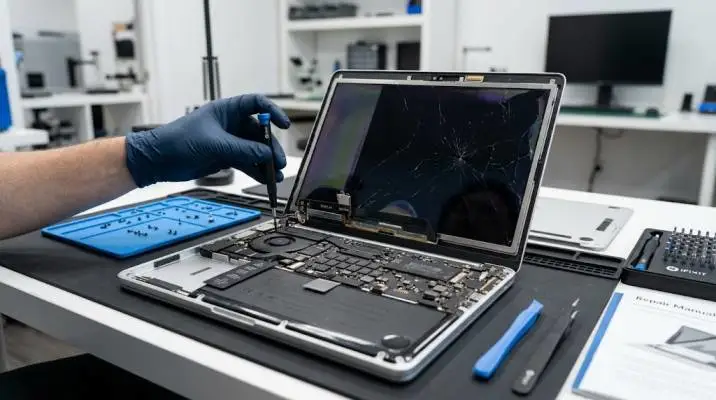
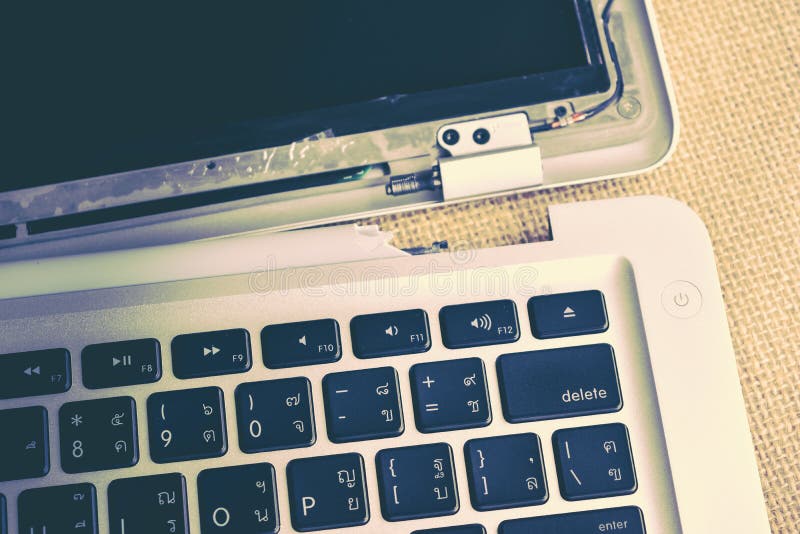
MacBook air screen broken internally usually looks like a crack that appeared from nowhere. I've seen this on three friends' M1 Airs. No drop. No impact.
Just a dark patch or vertical line that spreads over weeks. The cause is almost always pressure on the lid or a tiny object trapped between the keyboard and screen when closed.
A paperclip. A camera cover. Even a grain of rice. The glass stays intact while the LCD underneath fractures. Apple's official repair guide confirms the display assembly gets replaced as one unit, not repaired panel-by-panel.
This guide covers how to confirm the diagnosis, what repairs actually cost in India, and whether your specific model is worth fixing.
How to Confirm the Screen Itself Is Dead?
Before spending money, test the rest of the laptop. Connect an external monitor via HDMI. Close the MacBook lid slightly and use an external keyboard and mouse.
Read Also: Computadora Apple MacBook Air: Features, Price And Buying Guide
If the external display works perfectly, your logic board and graphics are fine. The problem is the display assembly.
The flashlight test confirms backlight failure. Shine a torch at an angle across the dark screen. If you see a faint image of your login screen, the LCD panel works but the backlight circuit is dead.
That's a board-level repair, not a screen replacement. Most repair shops charge less for backlight fixes than full display swaps.
Check for physical damage patterns. Internal fractures often start as a small dark spot near the hinge or a thin vertical line. They spread slowly. A liquid spill causes different symptoms: blotchy discoloration, flickering, or complete death with no faint image.
What "Replacing the Screen on a MacBook Air" Actually Means?
Modern MacBook Airs don't have separate glass and LCD panels. They're bonded together as one display assembly. You cannot replace just the glass. You cannot replace just the LCD. The entire top half gets swapped.
This changes the cost calculation. A cracked phone screen costs ₹2,000 to fix. A cracked MacBook Air screen costs 5-10x more because the whole assembly replaces.
Apple's official service documentation for M5 MacBook Airs describes removing the display flex cables, lid angle sensor, and eight hinge screws before lifting the assembly off.
It's not a repair a beginner should attempt. One wrong screw size can pierce the logic board and kill the laptop permanently.
MacBook Air 13 Inch Screen Replacement Cost in India (2026)
Prices vary by model generation. Here's what independent repair shops charge based on current listings.
MacBook Air M1 (2020, A2337): ₹9,999 to ₹10,999 for the display assembly. Some shops quote ₹8,000-₹14,000 depending on part grade. This is the most common repair because so many M1 Airs sold in 2020-2021 now face pressure damage.
MacBook Air M2 (2022, A2681) and M3 (2024, A3113): ₹14,999 to ₹19,999. The Liquid Retina panels with the notch cost more than the older M1 displays.
MacBook Air 15-inch M2/M3: ₹19,999 and up. Larger panels mean higher prices.
Older Intel models (2018-2020): ₹9,999 to ₹10,999. The 2020 Intel Air (A2179) uses a different panel than the M1 but sits in the same price range.
These prices exclude 18% GST at most shops. Ask for the all-inclusive quote before committing. A ₹10,999 screen becomes ₹12,979 after tax.

Apple Service vs Independent Repair: The Real Difference
Apple's out-of-warranty screen replacement costs significantly more than independent shops. Apple typically charges ₹25,000-₹35,000 for MacBook Air display repairs, depending on the model. That's 2-3x the independent rate.
You Must Also Like: How Does the Fanless M5 MacBook Air Handle Thermal Throttling?
Why the gap exists: Apple replaces the entire top case assembly on some repairs, bundling keyboard, trackpad, and battery into the job. Independent shops replace only the display assembly. If your keyboard works fine, you're paying for parts you don't need at Apple.
When Apple makes sense: If your MacBook is under AppleCare+ or still within warranty, go to Apple first. Accidental damage coverage drops the screen repair to a service fee. Out of warranty, the math favors independent shops unless you specifically want Apple's parts and warranty.
Independent shop risks: Part quality varies. Original-grade assemblies match Apple's brightness and color. Compatible panels cost less but may look dimmer or have slight color shifts. Ask which grade they use and get the warranty in writing. Reputable shops offer 6-12 months on the replacement display.
Cost of Replacing Battery in MacBook Air: When to Bundle Repairs?
If your screen broke and your battery health is below 80%, consider doing both at once. Opening the laptop twice doubles labor costs.
MacBook Air M1 battery replacement: ₹2,499 to ₹8,999 depending on the shop and battery grade. The M1 Air is one of the most common battery jobs because 2020-2021 models are hitting high cycle counts.
MacBook Air M2/M3 battery: Slightly higher than M1 due to larger capacity. Budget ₹4,000-₹9,000.
Bundling saves money. A screen repair already requires disconnecting the battery. Adding a battery swap during the same service adds parts cost only, not a second labor charge. Ask the shop for a combined quote.
DIY Repair: Who Should Attempt It and Who Shouldn't
iFixit publishes free guides for MacBook Air screen replacement. The tools alone cost ₹3,000-₹5,000 if you don't own precision torque screwdrivers and ESD-safe tweezers.
Attempt DIY only if: You've repaired laptops before. You own the correct tools. You're comfortable working with ribbon cables and torque specifications. You understand that one mistake can destroy a ₹80,000 laptop.
Never attempt DIY if: This is your first repair. You need the laptop working tomorrow. You don't have a clean, static-free workspace. The savings (₹4,000-₹5,000 on parts vs shop price) don't justify the risk of a dead logic board.
The M1 Air specifically has razor-thin LCD panels. Hairline cracks from keyboard pressure are common. Closing the lid with even a small object inside causes fractures that spread invisibly. A replacement panel is equally fragile. Poor installation alignment leads to the same failure within months.
Preventing the Next Internal Screen Break
The fix costs money. Prevention costs nothing.
Never close the lid with anything on the keyboard. Not a cloth. Not a cable. Not a camera cover. The clearance between keyboard and screen is measured in millimeters.
Check your hinge tension. A loose hinge lets the lid wobble and puts uneven pressure on the display. A tight hinge makes closing the lid require force. Both cause stress fractures over time.
Avoid carrying the laptop by the screen. Open or closed, the display assembly is the weakest part. Pick it up from the base only.
Use a hard shell case. It won't prevent pressure damage from a heavy object, but it absorbs impact from drops and bumps that twist the chassis.
Is Your MacBook Air Worth Fixing?
Run this calculation before deciding.
Fix it if: The laptop otherwise works perfectly. The repair costs less than 30% of a replacement machine. Your model is M1 or newer with years of useful life remaining.
Replace it if: The repair approaches half the cost of a new MacBook Air. The laptop has other problems (bad battery, failing keyboard, liquid damage history). You bought it used for less than the repair quote.
An M1 MacBook Air with a broken screen is almost always worth fixing. The ₹10,000-₹11,000 repair gives you back a laptop that sells used for ₹45,000-₹55,000. The math works.
A 2018 Intel Air with a ₹10,000 repair quote against a resale value of ₹15,000? That's a harder call. Put the money toward a newer model.
Check your specific model number before getting quotes. The A2337 (M1) and A2179 (2020 Intel) look identical externally but use different display assemblies. Give the repair shop your exact model number so they quote the right part. One wrong part number wastes everyone's time.