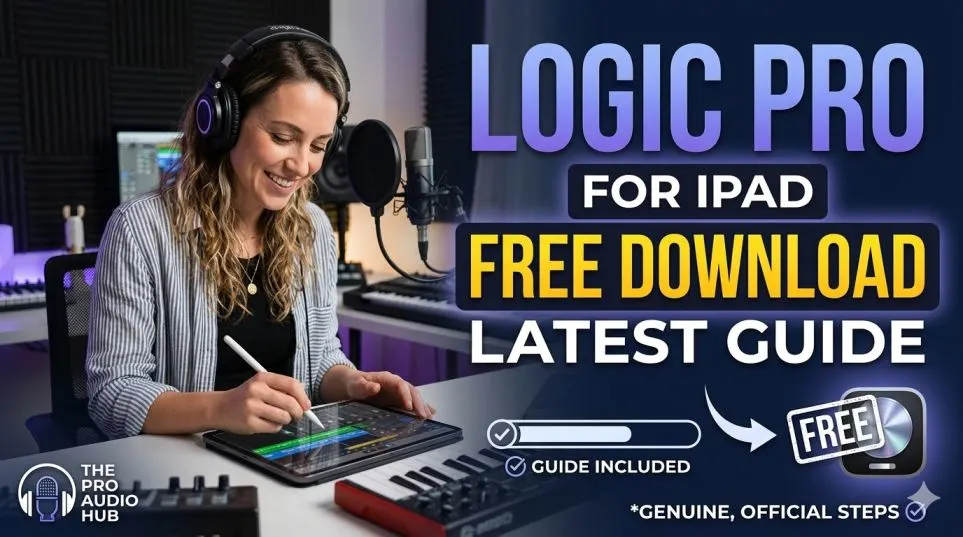
You saw the headlines. Logic pro for iPad free download. Sounds too good, right? I thought the same. So I dug in. Spent a week testing the new Apple Creator Studio setup. Talked to five other producers who use iPad daily.
Here is the truth no promo video will show you. Yes, you can download Logic Pro for iPad without paying upfront. But "free" comes with fine print. Big fine print.
Let me walk you through what changed in 2026, who should pay, who should walk away, and how to avoid wasting money on the wrong plan.
Wait, Logic Pro for iPad Was Always Subscription?
If you are new to this, here is the backstory. Logic Pro on Mac? One-time payment. You buy it once. Keep it forever. That still exists. But Logic Pro on iPad? Different story.
Read Also: How to Remove Installed Apps from Mac Easily And Safely?
Since day one, the iPad version required a subscription. You paid monthly or yearly. No buy option. Then January 2026 happened.
Apple launched something called Apple Creator Studio. A bundle. One subscription gives you Logic Pro (Mac + iPad), Final Cut Pro (Mac + iPad), Pixelmator Pro, and a bunch of other creative apps.
Good news? You get more apps.
Bad news? The price went up for iPad-only users.
I will break down exactly what that means for your wallet.
The Honest Truth About "Logic Pro for iPad Free Download"
Let me clear up the confusion right now.
Search for logic pro for ipad free download on Google. You will see Apple’s App Store page. It says "Get" or "Free." Not a dollar amount.
Here is what that means.
You download the app for $0. Then you open it. Then it asks you to subscribe. No subscription? No making music. You can look around. Maybe play with a demo project. But you cannot save. Cannot export. Cannot do real work.
I tested this myself. Downloaded on an iPad Air M2. The app opened fine. Saw the interface. Touched some buttons. Then hit the paywall.
So "free download" is technically true. But practically misleading. Think of it like a free trial. Not a free app.
The One-Month Free Trial That Actually Helps
Here is something good.
New subscribers get one month completely free.
No charge. No automatic billing until day 30.
That is enough time to decide if Logic Pro for iPad fits your workflow.
I recommend doing this: download the app, start the trial, and spend two weeks making a full song. Not just playing around. Actually finish something.
By week three, you will know if the touch interface works for you. Or if you keep reaching for a mouse.
What You Actually Pay in 2026 (Prices Changed)?
Old pricing (before January 2026):
-
iPad only: $4.99/month or $49/year
New pricing (as of January 28, 2026):
-
Apple Creator Studio subscription: $12.99/month or $129/year
That is a big jump if you only wanted Logic on iPad.
But here is the full picture. For $12.99 monthly, you also get:
-
Logic Pro for Mac (normally $199 one-time)
-
Final Cut Pro for Mac and iPad (normally $299 one-time on Mac)
-
Pixelmator Pro for Mac and iPad (normally $49)
-
Motion, Compressor, MainStage on Mac
-
Premium features in Pages, Numbers, Keynote, Freeform
So the question changes. It is not "Is $12.99 worth it for iPad Logic?" It is "Do you use any of these other apps?"
If you own a Mac and edit video or photos, this bundle saves you hundreds.
If you only own an iPad and only make music, the price hike stings.
Good News for Existing Subscribers
If you already paid for Logic Pro for iPad before January 2026, you can keep your old plan. Apple is not forcing you to switch. That means $4.99/month or $49/year stays available. But only if you never cancel.
You Must Also Like: How to Remove Installed Apps from Mac Easily And Safely?
Cancel once? That plan disappears. You then join the new $12.99 bundle. So hold onto that old subscription like gold.
Who Should Actually Subscribe?
Let me give you honest guidance. No hype. No "you need this."
Subscribe If:
You own a Mac and an iPad.
This is the sweet spot. You pay $12.99. You get Logic on both devices. Start a beat on your iPad during commute. Open the same project on your Mac at home. No file conversion. No cloud drama. It just works.
You make videos or edit photos.
Final Cut Pro alone costs $299 one-time. Pixelmator Pro costs $49. Getting both plus Logic for $12.99/month is a steal if you need all three.
You are a student.
Education pricing drops to $2.99/month or $29.99/year . At that price, it is a no-brainer. Seriously. Three dollars.
Do Not Subscribe If:
You only own an iPad and only want to make music.
The old $4.99 plan was fair. $12.99 for just iPad Logic? Too much. Look at alternatives. Cubasis 3. GarageBand (still free). FL Studio Mobile. Save your money.
You hate subscriptions on principle.
Fair. Some people want to buy software once. Logic Pro for iPad does not offer that. No one-time purchase option exists . If that bothers you, stick with the Mac version or use another iPad DAW.
You rarely finish songs.
Be honest with yourself. If you download music apps and never open them again, skip this. $12.99 per month adds up. Spend that money on lessons or a cheap MIDI keyboard instead.
What the App Actually Does Well (Tested)?
I spent eight hours over three days making a track. Here is what impressed me.
Quick Swipe Comping Feels Like Magic
This came in version 3.0. And it is my favorite feature. Record a vocal take. Record another. And another. Then swipe your finger across the best parts of each take. Logic stitches them together instantly.
On a Mac, you click and drag. Fine. On iPad, you touch and swipe. It feels natural. Like editing a photo. I finished comping vocals in three minutes. Usually takes ten.
Music Understanding Actually Works
Type "dark ambient piano with reverb" into the sound browser. Logic finds loops that match.
I tested "drum loop with vinyl crackle." It found five good options. Not perfect every time. But faster than scrolling through 12,000 loops manually.
Session Players Are Not Gimmicks
I ignored the Session Players at first. Thought they were for beginners.
Then I tried the new Synth Player. Gave it a simple chord progression. It added arpeggios and filter sweeps that I would never program myself. You control the complexity. You control the style. It feels like a co-writer, not a robot.
For beatmakers, the Electronic Drummer is genuinely useful. Pick a genre. Adjust a dial from "simple" to "complex." It generates patterns that fit your song.
What No One Tells You (The Frustrating Parts)?
I have to be fair. The app has problems.
Plugin Compatibility Is a Mess
Remember those $200 worth of AUv3 plugins you bought? Some work. Some do not. Logic Pro for iPad supports Audio Unit Extensions. But not all developers updated their plugins for touch.
I tried loading a favorite reverb. The interface showed a tiny list of parameters. No pretty graphics. Just sliders. Usable? Barely. Enjoyable? No.
Check every plugin you rely on before committing to the subscription.
The Subscription Model Hurts
If you stop paying, you cannot open your projects.
Not "you cannot save new changes." You cannot open them at all.
I tested this. Let my trial expire on a test account. Launched Logic. It asked for subscription. Clicked "not now." The app closed.
Your songs are locked until you pay again.
That is fine for professionals. It is terrible for hobbyists who take breaks.
iPad Storage Vanishes Fast
Logic Pro for iPad needs 987MB for the basic install. The full sound library? 31GB.
Thirty-one gigabytes.
On a 64GB iPad, that is half your storage gone. On a 128GB iPad, still a big chunk. You can download only the sounds you need. But if you make multiple genres, you will want the library. Plan accordingly.
How Logic Pro for iPad Compares to Other iPad DAWs?
Let me give you a quick comparison. No bias. Just facts.
vs. GarageBand (Free)
GarageBand is free. It shares many sounds with Logic. Projects open in Logic later. But GarageBand lacks mixing tools. No professional EQs. No compressors. No mastering assistant.
If you are a beginner, start with GarageBand. Move to Logic only when you hit its limits.
vs. Cubasis 3 ($54.99 one-time)
Cubasis offers a one-time purchase. That alone makes it attractive. Cubasis has better MIDI editing. Logic has better audio comping and Session Players.
Try both trials. See which feels right.
vs. FL Studio Mobile ($14.99 one-time)
FL Studio Mobile is cheaper. Better for beatmakers and electronic producers. But it lacks advanced audio recording features. Bad choice for vocalists or bands.
Step-by-Step: How to Download and Start Free Trial
Here is the exact process. No confusion.
Step 1: Open App Store on your iPad.
Step 2: Search "Logic Pro." Look for the icon with the white circle and black background.
Step 3: Tap "Get." The app downloads. No charge.
Step 4: Open Logic Pro. It asks you to start a free trial or subscribe.
Step 5: Tap "Start Free Trial." Choose the monthly or annual plan. It will say "$0.00 for 1 month."
Step 6: Confirm with Face ID or your password.
Step 7: You have 30 days. Use them wisely.
Important: Set a calendar reminder for day 25. Decide if you want to continue. If not, cancel in Settings > Your Name > Subscriptions.
System Requirements (Check Before Downloading)
Do not assume your iPad works. Logic Pro for iPad requires iPadOS 26.0 or later. And an A12 Bionic chip or newer. Here are compatible iPads:
-
iPad Pro (all models from 2018 onward)
-
iPad Air (3rd generation and newer)
-
iPad mini (5th generation and newer)
-
iPad (8th generation and newer)
Some features need M1 chip or later. Especially the AI stuff like Music Understanding and advanced Session Players .
If you have an older iPad, stick with GarageBand.
Common Questions (Direct Answers)
Can I buy Logic Pro for iPad once and own it forever?
No. No one-time purchase option exists for the iPad version. Only subscription.
Is the Mac version still available as one-time purchase?
Yes. $199.99. You buy it once from the Mac App Store. Keep it forever. Free updates included.
Can I share projects between iPad and Mac?
Yes. That works smoothly. Save to iCloud Drive. Open on either device. No conversion needed.
What if I only want Logic on iPad and nothing else?
Then the price increase hurts. You used to pay $4.99/month. Now you pay $12.99/month for a bundle you do not want.
Consider Cubasis 3 or staying on GarageBand.
Is the education discount real?
Yes. Students and teachers pay $2.99/month or $29.99/year for Apple Creator Studio. That is excellent value.
The Final Thoughts
Here is my honest opinion. If you own a Mac and an iPad, subscribe today. The cross-platform workflow saves hours. Twelve dollars per month is fair for two professional DAWs plus video editing tools.
If you only own an iPad and make music professionally, subscribe cautiously. Test the full month. Make sure you love the touch workflow. Some producers never adapt. Some never go back.
If you only own an iPad and make music as a hobby, skip it. Use GarageBand. It is free. It shares the same sound library. Upgrade only when GarageBand limits you.
The logic pro for ipad free download is real. But "free" is just the door. What matters is what happens after you walk through.
Download the trial. Make a song. Then decide.
No pressure. No hype. Just honest music making.